
Buying guide
BISSELL Pet Hair Eraser Allergen Lift-Off: Before You Buy
Independent tests on the BISSELL Pet Hair Eraser 39883 disagree sharply on carpet and bare floors. Compare test data, upkeep costs, and pre-purchase checks.
PickingScope·
Buying guide · Research-based
Krunia RC06 wireless CarPlay screen review and buying guide: 9.26-inch display specs, audio routing (Bluetooth vs AUX/FM), backup camera, and Android 16 update.
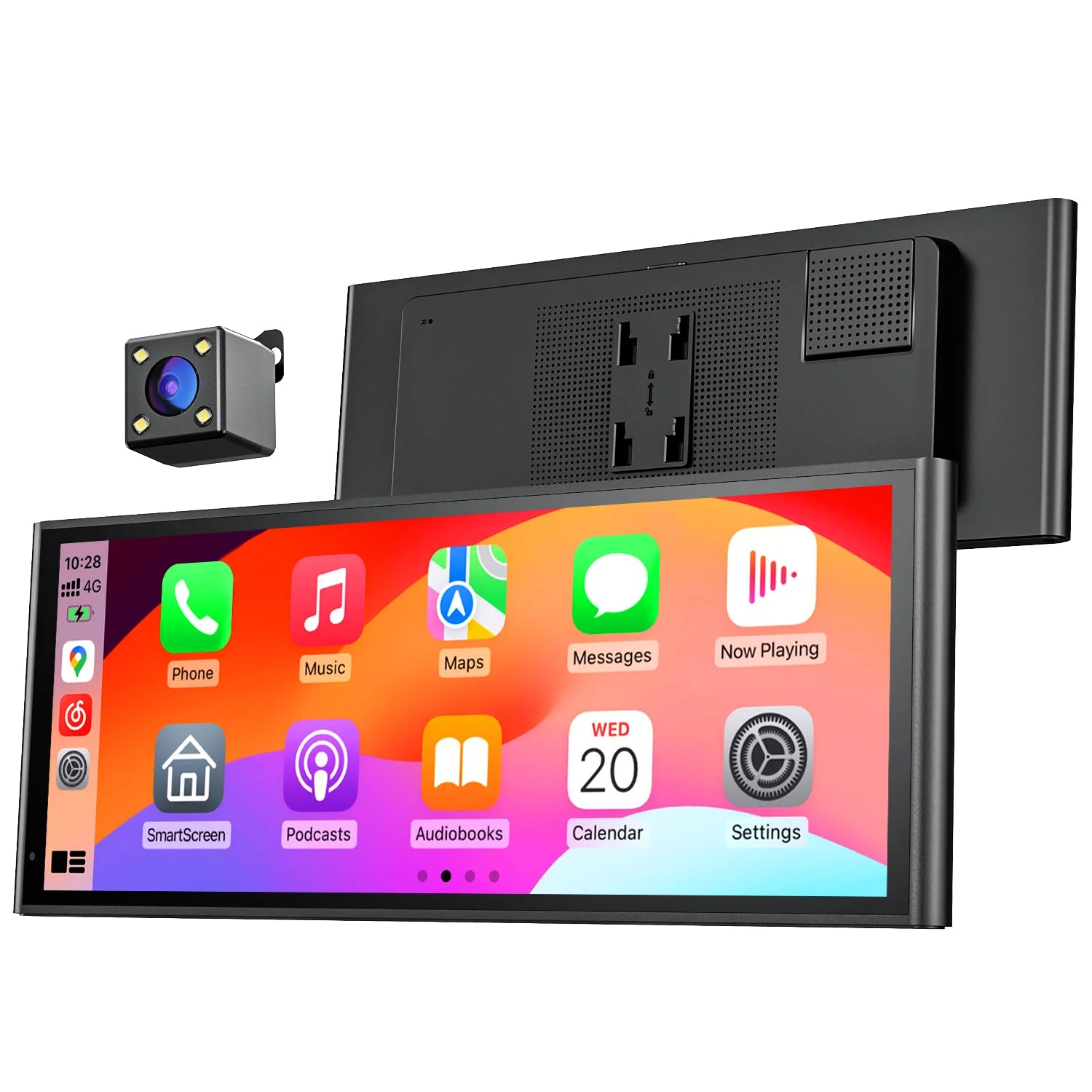
We'd consider this wireless CarPlay screen for a car whose factory stereo you want to keep, provided you can mount and power the added display. The selected model is the black Krunia RC06 9.26-inch kit with a backup camera; check your audio connection and phone software before ordering..
The RC06 adds its own touchscreen for wireless Apple CarPlay or Android Auto while leaving the factory radio in place. Krunia's RC06 manual describes adhesive and suction-cup mounting options, plus separate phone-link and audio-output settings.
Your phone supplies the CarPlay or Android Auto interface. The dashboard position, power connection and route to the car speakers need separate checks.
| Your situation | What to check before choosing the RC06 |
|---|---|
| You use an iPhone | Enable Siri, Bluetooth and Wi-Fi, then follow the RC06's CarPlay pairing prompts. |
| You use an Android phone | Check wireless Android Auto requirements and the Android 16 notice below. |
| Your stereo accepts Bluetooth audio | Check the manual's direct phone-to-car audio setup. |
| Your stereo has an AUX input | Plan a cable from the RC06's AUX OUT to the car's AUX input. |
| Your stereo has neither connection | Check whether you can use the RC06's FM transmitter with your radio, or accept its built-in speaker. |
| RC06 advantages (Pros) | Buying considerations (Cons) |
|---|---|
| Keeps your factory stereo in place without dashboard tear-down | Requires a dedicated power cable running to the cigarette-lighter socket |
| Supports direct phone-to-car Bluetooth audio for cleaner sound in CarPlay | Needs a flat dashboard area that avoids blocking your driving view |
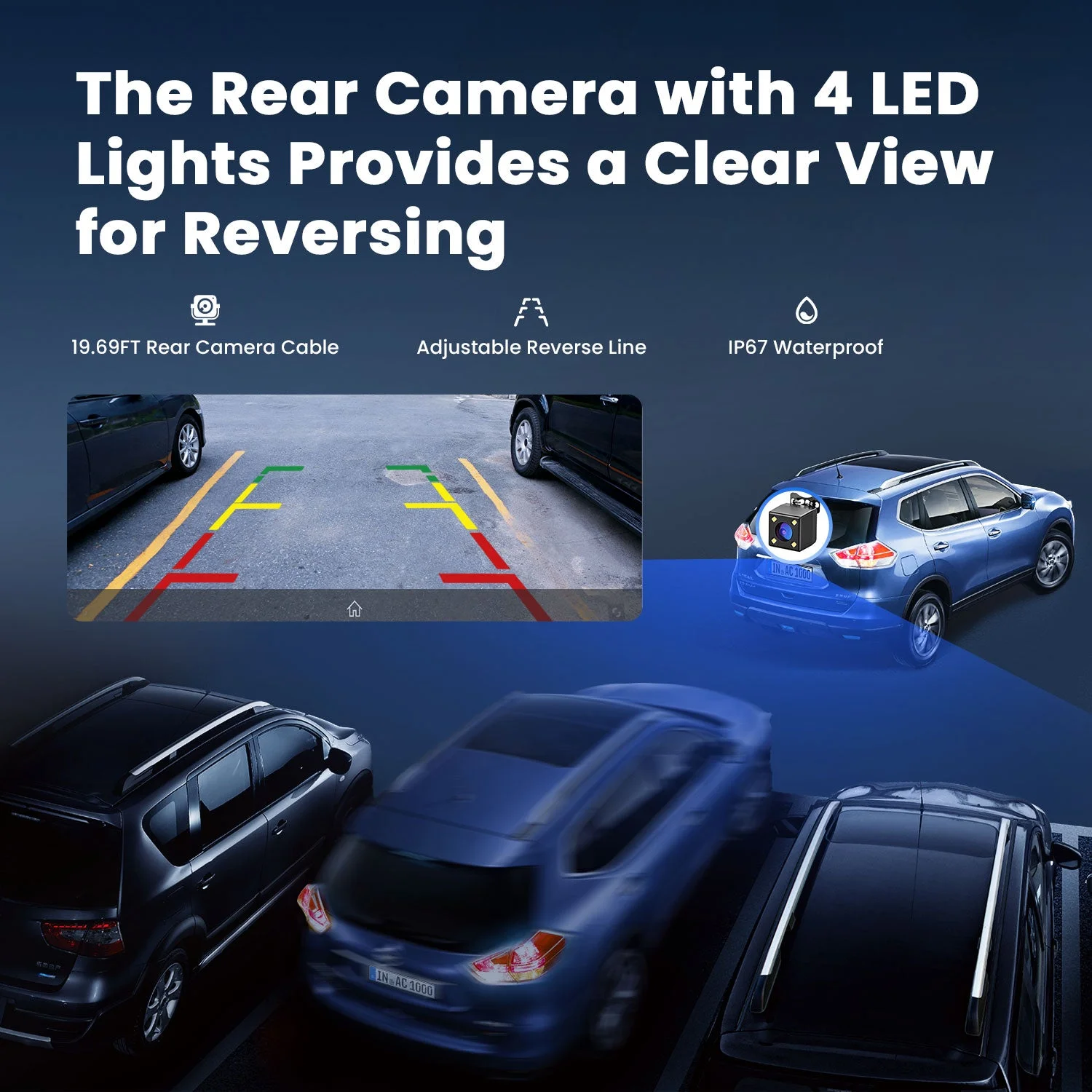
| Includes a wired backup camera with a 19.69-foot cable | English manual lacks a complete vehicle reverse-trigger wiring diagram |
| Official firmware update procedure available for Android 16 disconnections | Stated display brightness reflects manufacturer data rather than measured sunlight tests |
Google's current requirements specify a compatible phone with an active data plan and 5 GHz Wi-Fi support. Wireless projection supports phones running Android 11. Android Auto is built into supported phones, so a separate Android Auto download is unnecessary.
Apple's CarPlay setup instructions require Siri and describe enabling Wi-Fi for wireless connections. For this screen, use the RC06 manual's pairing sequence: open CarPlay, enable Bluetooth and Wi-Fi, select the displayed Bluetooth name beginning T86- and approve the phone's prompts.
CarPlay and Super Link are separate modes on the RC06. The manual describes Super Link as phone-screen mirroring through EveLink, controlled from the phone, with some content restricted by permissions. Choose CarPlay or Android Auto for their supported interfaces; don't assume a mirrored phone app becomes a touchscreen app on the RC06.
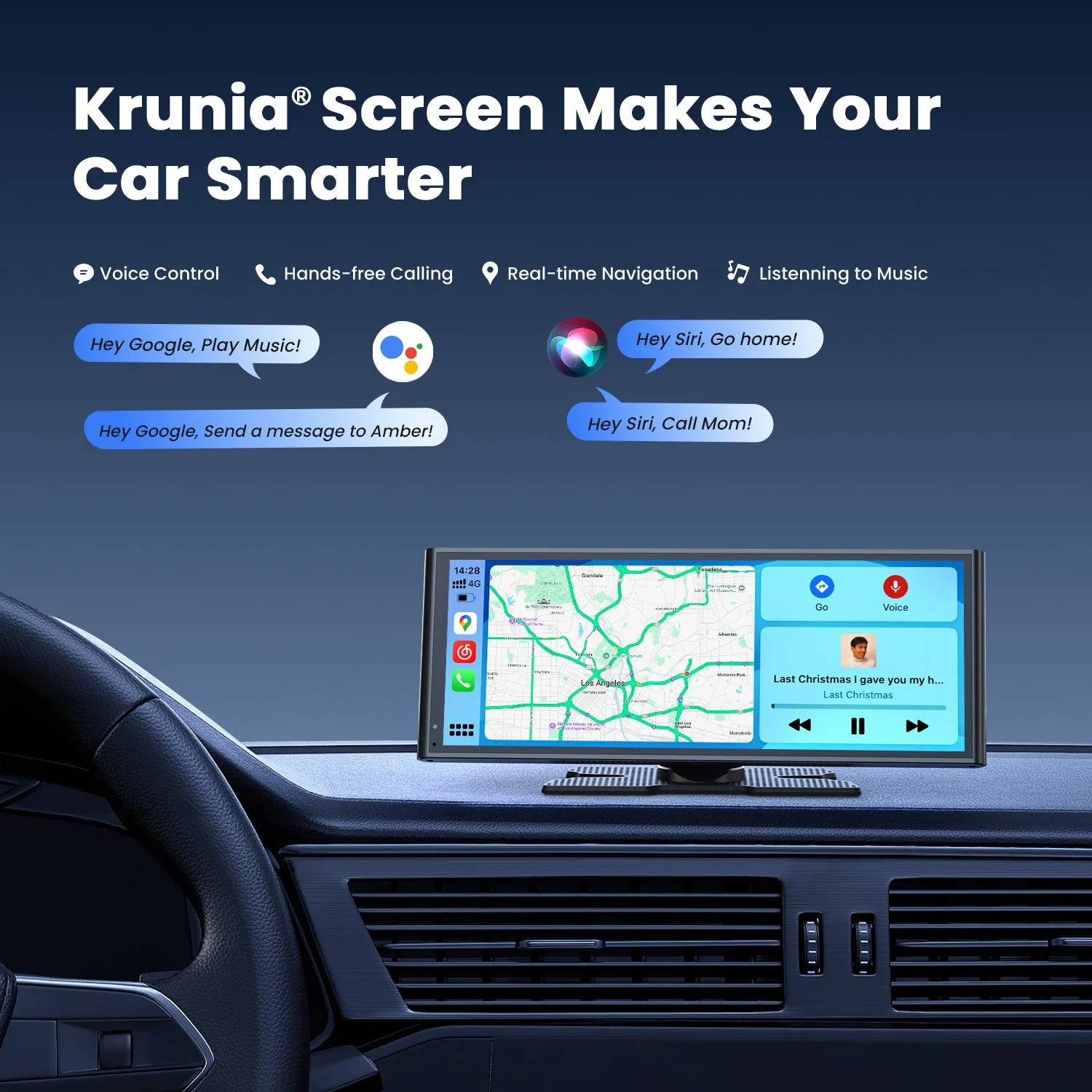
The RC06 manual lists four output modes: built-in speaker, BT Audio, FM and AUX. In CarPlay or Android Auto mode, its Bluetooth-audio instructions tell you to connect your phone directly to the car's Bluetooth.
Pairing the phone to the RC06 for the display and selecting car audio are separate setup tasks.
| Output mode | Connection described in the RC06 manual | What you need |
|---|---|---|
| BT Audio | Phone connects directly to the car's Bluetooth during CarPlay or Android Auto use. | A compatible Bluetooth audio connection in the car. |
| AUX | RC06 AUX OUT connects by cable to the car's AUX input. | An AUX input and the car stereo set to AUX. |
| FM | RC06 transmits on an unoccupied frequency that matches the car radio. | An FM radio and a suitable unused frequency. |
| Built-in speaker | Sound plays from the RC06 itself. | No audio connection to the factory stereo. |
For FM, enable FM output on the RC06 after matching the frequencies.
We'd choose the audio route before attaching the mount. Ask the seller to confirm any steering-wheel button or factory-microphone behavior you need for your specific car and phone; the manual's audio instructions don't establish universal integration.
The RC06 needs a power cable even when the phone connects wirelessly. Krunia instructs you to plug the supplied car charger into the cigarette-lighter socket and connect the other end to the screen.
Use the original charger. The manual warns that other chargers can cause insufficient power or heat damage, and that FM transmission may work incorrectly with a different charger. A USB-shaped connector alone is insufficient reason to substitute the car's USB port.
Krunia supplies adhesive and suction-cup mounting options. Its safety instructions say to keep the screen clear of the driver's sightline and airbag deployment area. Complete setup while parked, and follow the manual's warning against operating the screen while driving.
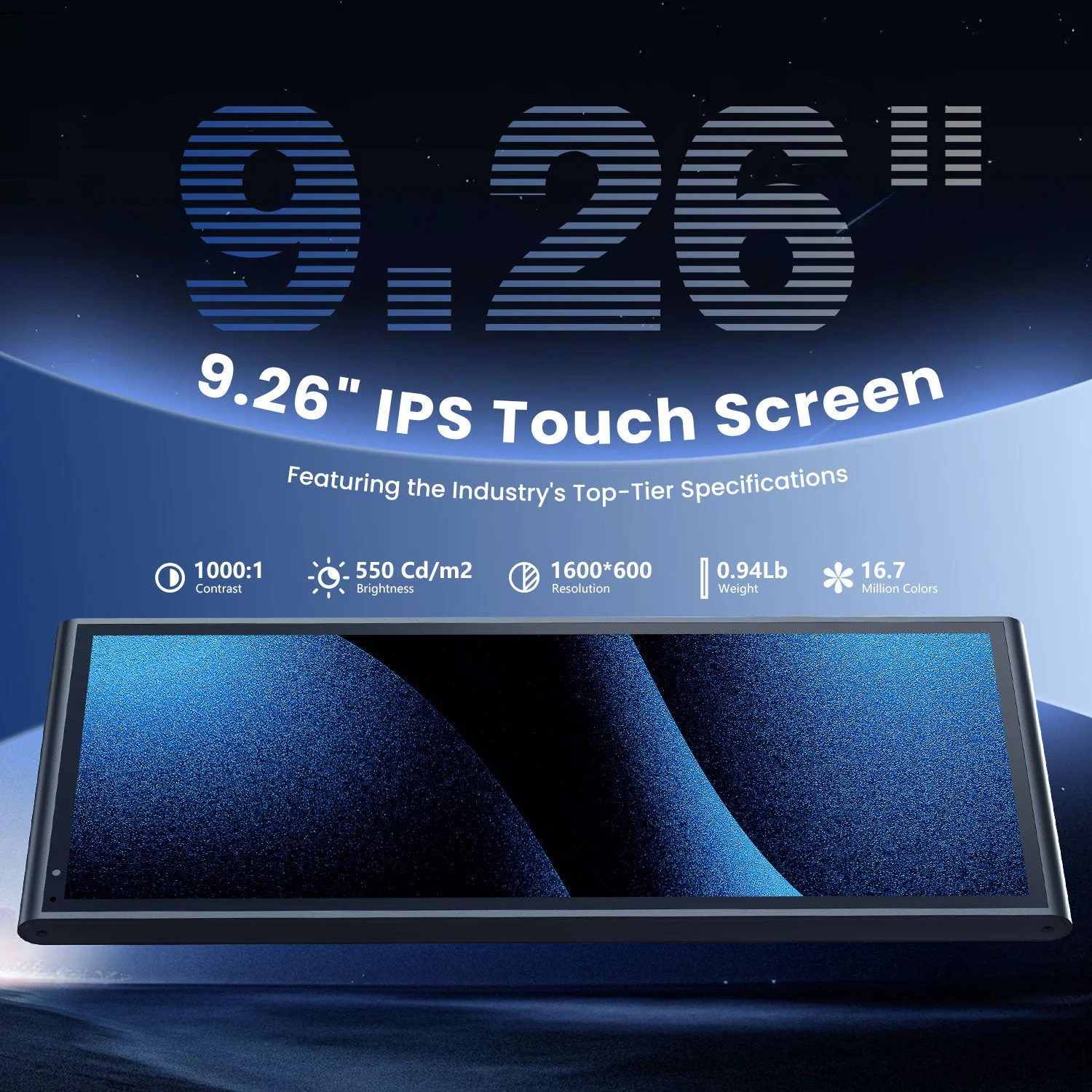
The manufacturer's display graphic specifies a 9.26-inch IPS panel with 1600 x 600 resolution and claimed brightness of 550 cd/m². Those figures describe the panel; they leave the placement and glare check in your car unresolved. Judge the proposed position from the driver's seat before committing to an adhesive mount.
| Specification | Krunia rating or kit detail |
|---|---|
| Screen size | 9.26 inches |
| Display panel and resolution | IPS panel, 1600 x 600 pixels |
| Claimed brightness | 550 cd/m² |
| Smartphone link modes | Wireless Apple CarPlay, Wireless Android Auto, Super Link |
| Audio output options | Direct Bluetooth audio (phone to car), AUX OUT, FM transmitter, built-in speaker |
| Power supply requirement | Supplied cigarette-lighter car charger (original charger required) |
| Mounting options in kit | Adhesive bracket and suction-cup mount |
| Included rear camera | Wired camera with 19.69-foot connection cable |
| Dashcam recording | None (kit provides display and rear parking view only) |
The selected kit includes a separate rear camera with a cable. Krunia's camera graphic labels that cable as 19.69 feet long and shows adjustable reversing guidelines.
Treat camera installation as a separate job from pairing the phone. Check the cable route and ask the seller for a complete RC06 wiring diagram before ordering. The English manual supplies no complete reverse-trigger wiring procedure. If automatic switching when you select reverse is essential, get that connection confirmed for your vehicle.
The manual says a camera button appears after the rear camera is connected. That gives you a documented way to open the camera view; the staged parking image below supplies no measured evidence of nighttime detail.
Krunia explicitly includes the RC06 in its Android 16 compatibility notice. The company says affected phones may have Android Auto connection problems and provides this update procedure.
Krunia says this update resolves the issue. Follow the linked notice for the current app version instead of relying on a saved setup video.
For other reconnect problems, the RC06 manual says to check phone Wi-Fi and the selected phone-link mode. It also describes clearing saved connections and pairing again. Match the symptom to the manual before resetting everything.
Check the exact kit and seller's terms on the selected Amazon listing. Read the current offer for today's price and return conditions.
Krunia provides a warranty-activation page, but that page supplies no readable set of complete US warranty terms. Obtain those terms before assigning value to an advertised warranty period.
During the return window, check startup reconnection, navigation prompts, a stationary phone call and screen readability in your chosen position.
No. The selected kit includes an external backup camera for parking assistance, but the screen itself does not function as a forward-facing driving recorder. Although Krunia's general manual mentions memory-card settings, this specific kit provides a display and reverse view rather than continuous dashcam recording.
No. Krunia's manual instructs you to use the supplied cigarette-lighter car charger. Standard in-dash USB ports often deliver insufficient current, which can trigger random reboots, excessive heat, or interference with FM audio transmission.
In BT Audio mode, your phone sends audio directly to your car stereo over Bluetooth. Standard steering-wheel volume and track buttons control phone playback as usual. When using AUX or FM transmission, factory steering-wheel buttons cannot control the RC06 screen directly.
No. Wireless Apple CarPlay and Android Auto run directly from your connected smartphone without ongoing service fees. The Evelink companion app used for firmware updates is also free to download from Google Play.
We checked Krunia's RC06 manual, product materials and Android 16 support notice against Apple and Google setup requirements in October 2026. Our sources support compatibility and installation advice; we have no accepted US-model owner-review sample or independent RC06 driving test. Our research method
Official · Checked Oct 15, 2026
Manual · Checked Oct 15, 2026
Official · Checked Oct 15, 2026
Official · Checked Oct 15, 2026
Official · Checked Oct 15, 2026
Official · Checked Oct 15, 2026
Retailer · Checked Oct 15, 2026
Keep exploring
Buying guide
Independent tests on the BISSELL Pet Hair Eraser 39883 disagree sharply on carpet and bare floors. Compare test data, upkeep costs, and pre-purchase checks.
Buying guide
Hisense Fire TV 40QD4QF is a 40-inch 1080p QLED model. See its streaming features, gaming limits and the fit checks to make before ordering.
Buying guide
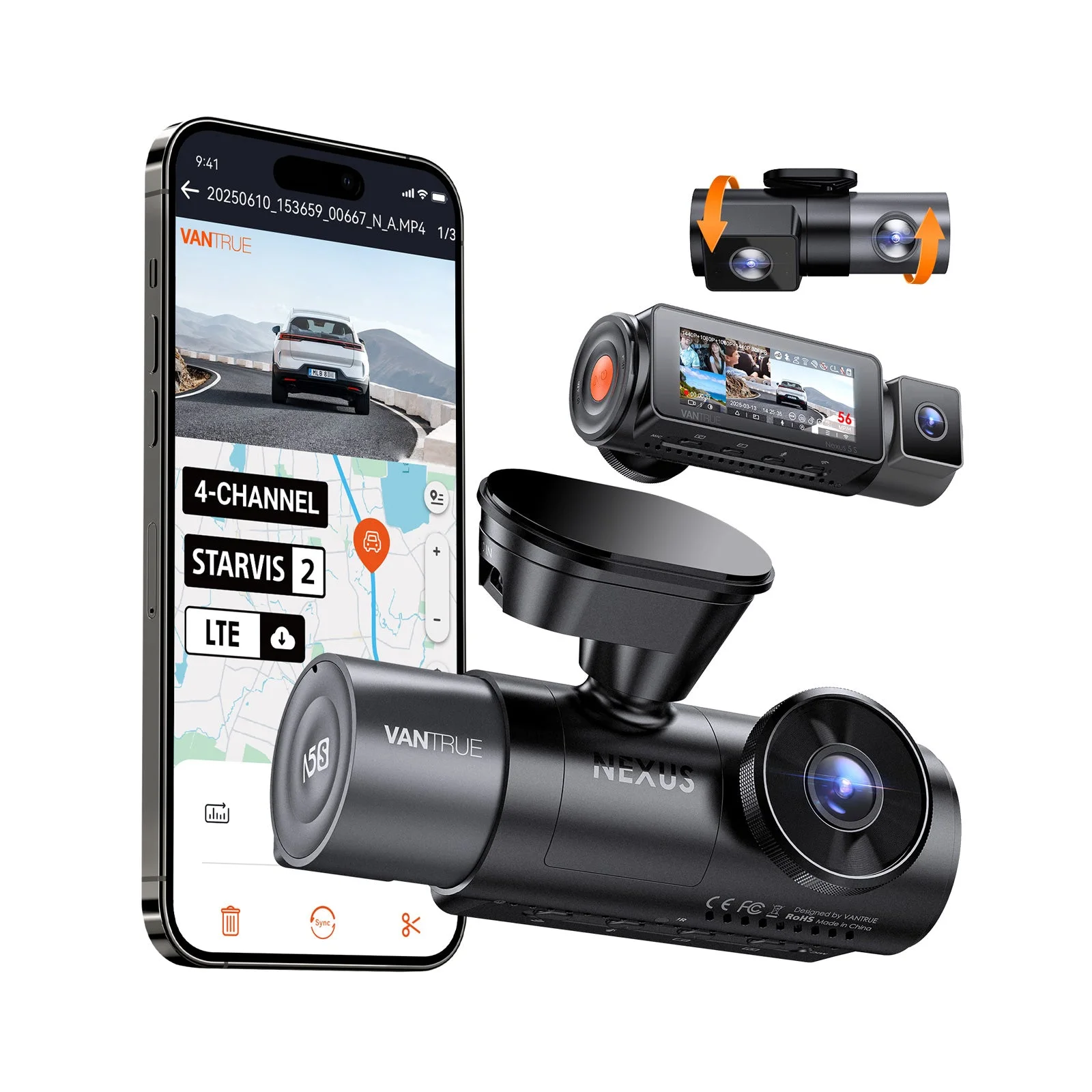
Vantrue Dash Cam N5S buying advice: four-camera coverage, night footage, parking power, LTE costs, installation limits and what to check before ordering.

Buying guide
CAROTE Cookware 26-piece brown set review: see what eight pots and pans are included, coating details, induction compatibility, care limits and seller warranty.