
Buying guide
BISSELL Pet Hair Eraser Allergen Lift-Off: Before You Buy
Independent tests on the BISSELL Pet Hair Eraser 39883 disagree sharply on carpet and bare floors. Compare test data, upkeep costs, and pre-purchase checks.
PickingScope·
Buying guide · Research-based
AVAPOW Jump Starter A68 review: we check real vehicle limits (10L vs 12L manual conflict), charging times, clamp light codes, and when to pick NOCO.
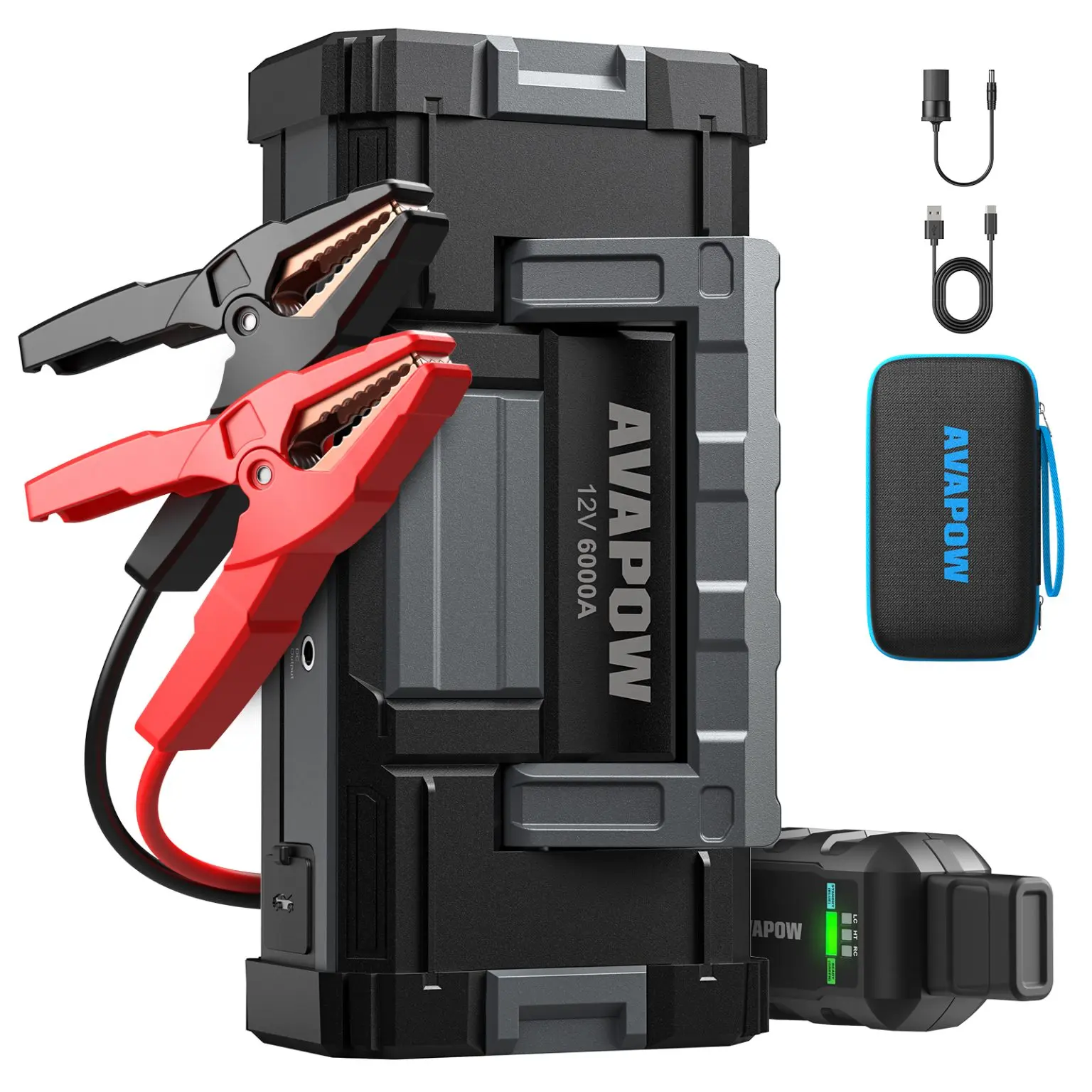
Product image: AVAPOW · A68 black kit with smart clamps and accessories
The AVAPOW Jump Starter A68 is worth considering at a discounted retail price if you want a 12V booster with a carry case and device-charging outputs. For the black 6000A kit, check the supplied manual's engine limit before buying, and compare the complete price with a smaller booster.
| Your priority | Buying advice |
|---|---|
| Keep the booster, smart clamps and accessories together | The A68's supplied case suits that job |
| Charge devices as well as start a compatible vehicle | Compare the A68's USB and DC connections with the equipment you use |
| Minimize storage space | Compare the NOCO GB40 below; the A68's case took up more space in the long-term report |
| Start an engine above the supplied A68 manual's limit | Skip it unless AVAPOW provides updated compatibility instructions for your version |
| A68 advantages (Pros) | Buying considerations (Cons) |
|---|---|
| Dedicated zippered case holds the booster, clamps and accessories together | Conflicting engine limits between the product page and downloadable manual |
| Two USB outputs and a 12V/10A DC port supply phones and 12V gear | No wall charger supplied in the kit |
| Force-start BOOST button can override low-voltage lockouts | Case takes up more storage space than compact alternatives like the GB40 |
| Frequent retailer discounts compared to the full direct price | Conflicting official warranty terms require seller confirmation |
The selected Amazon listing, ASIN B08NPGCFSG, identifies the A68. Check that any instructions or accessories you buy are for the A68.
AVAPOW lists the booster, smart jumper cables, carry case, USB-C charging cable, cigarette-lighter socket adapter and manual. A wall charger is not supplied, according to the A68 manual.
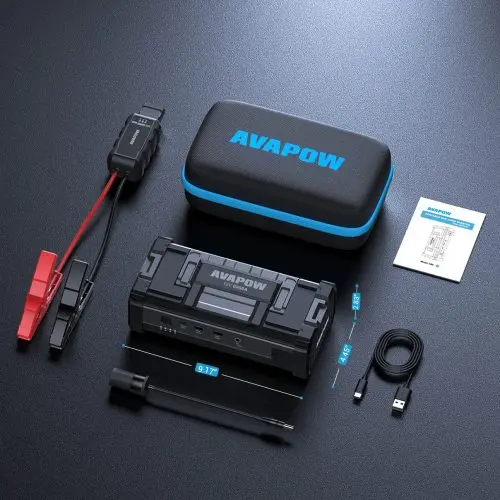
The socket adapter plugs into the DC output. Recharge the A68 through its USB-C input. You'll need a separate compatible wall charger.
| Specification | Manufacturer rating or detail |
|---|---|
| Marketed peak current | 6000A |
| Supported voltage | 12V |
| Stated engine coverage | All gas or up to 12L diesel (product page); up to 10000 cc (manual) |
| Recharge input | USB-C; 6–7 hours with a 9V/2A or 12V/1.5A wall charger |
| Power outputs | 2 USB outputs (one quick-charge) and one 12V/10A DC output |
| Box contents | Booster pack, smart jumper cables, storage case, USB-C cable, DC socket adapter and manual |
Check for a compatible 12V starting system and follow the engine limit in your supplied A68 instructions. The official product page and downloadable manual state different limits.
| Official document | Stated engine coverage |
|---|---|
| A68 product page | All gas engines and diesel up to 12L |
| A68 manual | 12V car batteries; engine rating of 10000 cc or less, equivalent to 10.0L |
We'd exclude engines above the manual's limit until AVAPOW confirms compatibility in writing. A large peak-amp label cannot resolve conflicting vehicle instructions.
Indiana Lang at Ultimate Technology Reviews reported about 70% indicated charge after eight to ten months sitting in his truck. He liked the USB functionality and found the case large. The comparison used supplied review samples.
That report provides no controlled A68 starting-current or repeatable cold-start measurement. Its storage observation also doesn't replace AVAPOW's recharge schedule below. Check vehicle compatibility, case size and charging connections before comparing peak-amp claims.
The A68 can charge compatible USB devices and supply compatible DC equipment. It has no built-in tire inflator in the listed A68 kit.
| Connection or feature | What it does for you |
|---|---|
| USB-C input | Recharges the A68 through a compatible wall charger |
| Two USB outputs | Charge compatible devices; one supports AVAPOW's listed quick-charge profiles |
| 12V/10A DC output | Supplies compatible DC equipment through the socket adapter; match your device to the output rating |
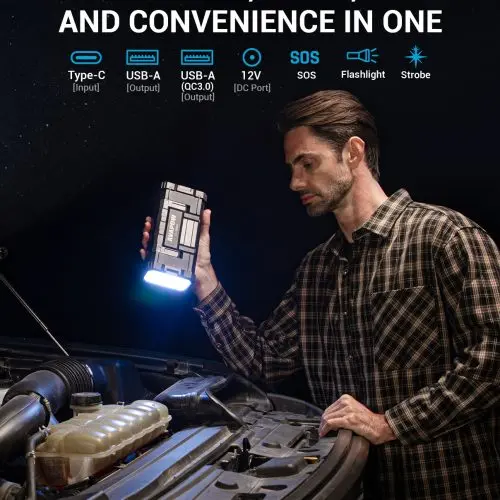
| LED light | Provides steady light, SOS and strobe modes; locate the controls in the supplied manual |
The input and DC rating come from the A68 manual; USB outputs and light modes come from AVAPOW's product page.
Plan for six to seven hours with a 9V/2A or 12V/1.5A wall charger, as recommended in AVAPOW's A68 FAQ. Check those output profiles on your charger rather than choosing by the USB-C connector alone.
The FAQ says four steady battery lights indicate full charge. Those lights can switch off after ten seconds; press the power button to check the charge again. A dark display after charging can therefore be normal.
AVAPOW recommends recharging every three months. The manual requires at least 50% charge before a start attempt. Preserve that reserve if you also use the A68 for other devices.
Read the clamp indicator separately from the battery-level lights on the pack. AVAPOW's FAQ says a blue clamp light can appear when the starting window expires; the official clamp illustration also distinguishes the warning labels below.
| Clamp marking | Meaning in AVAPOW's illustration |
|---|---|
| Blue / standby | Standby; follow the supplied clamp instructions before retrying |
| Green / ready | Ready; use the starting window in the supplied instructions |
| LC | Low capacity |
| HT | High temperature |
| RC | Reverse connection |
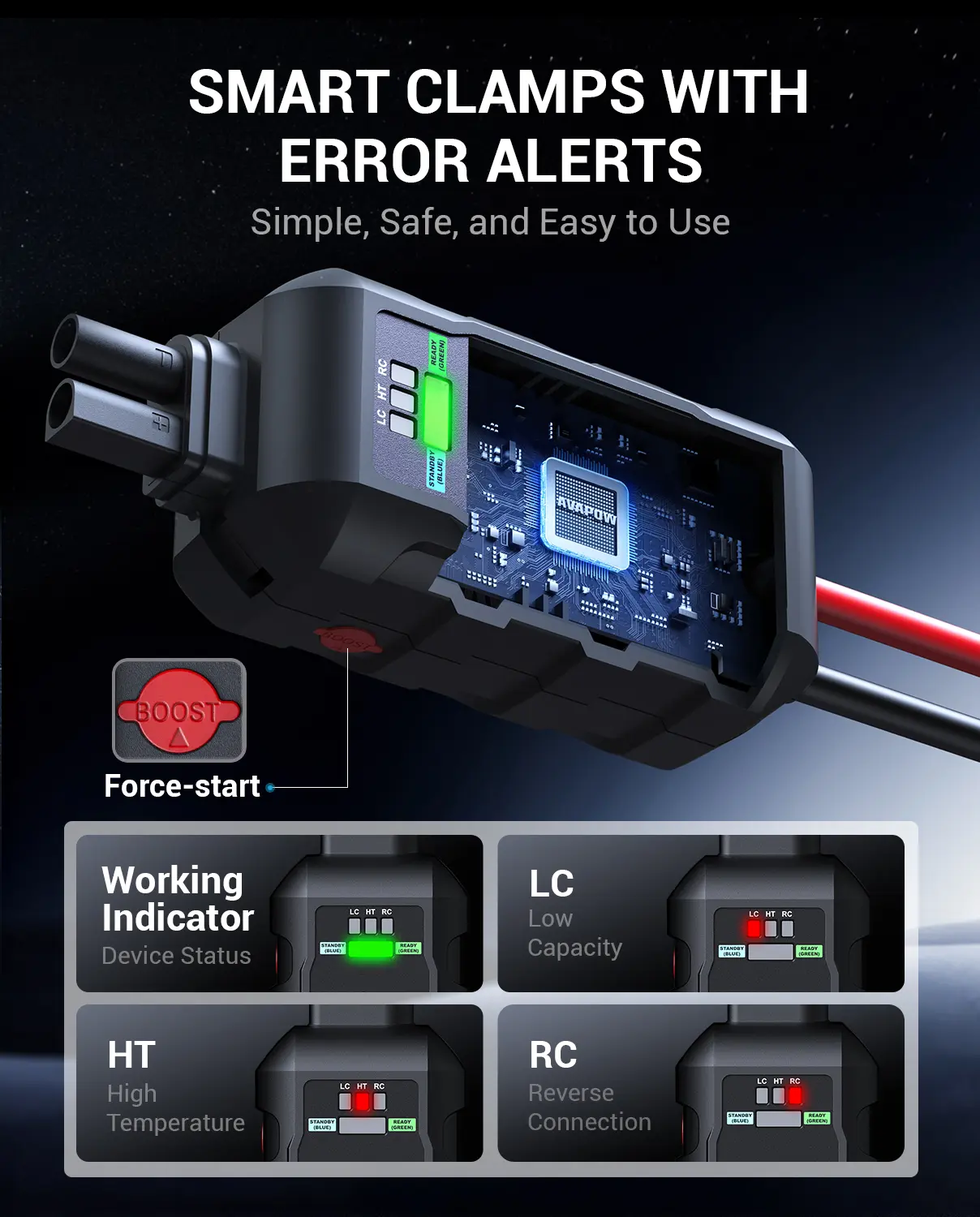
The A68 has a force-start control on the clamps. Follow these manufacturer instructions to jump-start a vehicle or handle a low-voltage battery:
AVAPOW support asks you to contact it if checked connections, a blinking green indicator and over 80% charge still leave the vehicle unable to start. Send your order number, A68 model, vehicle model and relevant photos or video.
Ask your seller which warranty duration applies to your A68 order. AVAPOW's policy describes 12 months plus a 12-month extension exclusive to email subscribers. Its quality-defect section separately says authorized-distributor and retailer purchases receive 24 months.
The policy requires proof of purchase and limits claims to the country of purchase. Save the receipt and get any registration or subscription requirement confirmed before counting on the extension.
Check retailer offers for the exact A68 kit before paying AVAPOW's $219.99 direct-store price.
| Price reference | Date and context |
|---|---|
| AVAPOW direct: $219.99 | October 15, 2026; official-store price when checked |
| Autoblog reported $73 at Walmart | May 29, 2026; historical A68 offer, not a current price or promised deal |
| NOCO direct GB40: $99.95 | October 15, 2026; smaller-engine alternative price when checked |
Autoblog's article explicitly identifies the A68 kit, but it is deal coverage rather than an independent starting test. Its historical price is a reason to compare retailer offers before paying AVAPOW's full direct-store price.
If your engine meets NOCO's ratings, we'd pick the NOCO GB40 when compact storage matters most. NOCO rates it for 12V vehicles with gas engines up to 6L or diesel up to 3L and lists a 2.4-pound weight. If your diesel exceeds 3L, compare another appropriately rated booster instead of choosing the GB40 for its price.
We compared nine product, manual, support and editorial sources, including historical retail-price reporting, for this A68 buying guide in October 2026. We included zero owner reviews because available pages mixed variants or blocked access; the cited long-term report used a supplied sample, and its findings do not quantify starting current or cold-start performance. Our research method
Official · Checked Oct 15, 2026
Official · Checked Oct 15, 2026
Manual · Checked Oct 15, 2026
Official · Checked Oct 15, 2026
Official · Checked Oct 15, 2026
Independent test · Checked Oct 15, 2026
Official · Checked Oct 15, 2026
Retailer · Checked Oct 15, 2026
Price history · Checked Oct 15, 2026
Keep exploring
Buying guide
Independent tests on the BISSELL Pet Hair Eraser 39883 disagree sharply on carpet and bare floors. Compare test data, upkeep costs, and pre-purchase checks.
Buying guide
Hisense Fire TV 40QD4QF is a 40-inch 1080p QLED model. See its streaming features, gaming limits and the fit checks to make before ordering.
Buying guide
Krunia RC06 wireless CarPlay screen review and buying guide: 9.26-inch display specs, audio routing (Bluetooth vs AUX/FM), backup camera, and Android 16 update.
Buying guide
Vantrue Dash Cam N5S buying advice: four-camera coverage, night footage, parking power, LTE costs, installation limits and what to check before ordering.